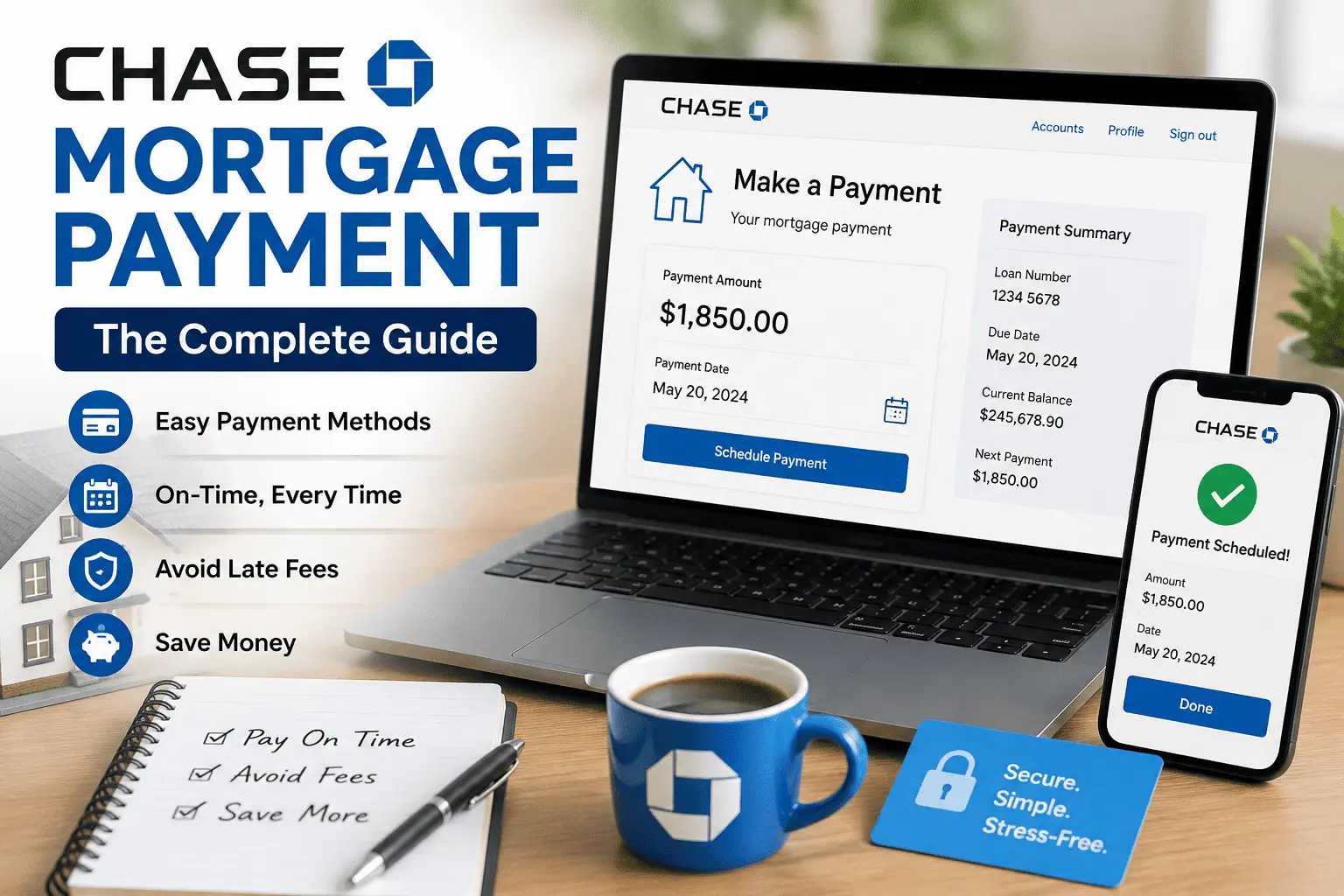
Your Chase mortgage bill lands in your inbox, and for a second you freeze. Should you log in and pay online, call the automated line, or drop a check in the mail like your parents used to? I remember helping a family member move from paper checks to online banking, and it took two tries before the payment actually posted on time. If your due date is creeping closer and you are not sure which method actually works, you are not the only one stuck on this.
This guide breaks down every part of your Chase mortgage payment, from the fastest way to pay online to what happens if a payment slips past the grace period. You will learn how autopay works, how to make an extra payment toward your principal, and what to do if you fall behind. By the end, you will know exactly how to keep your account current and skip the late fees for good.
How to Pay Your Chase Mortgage Online
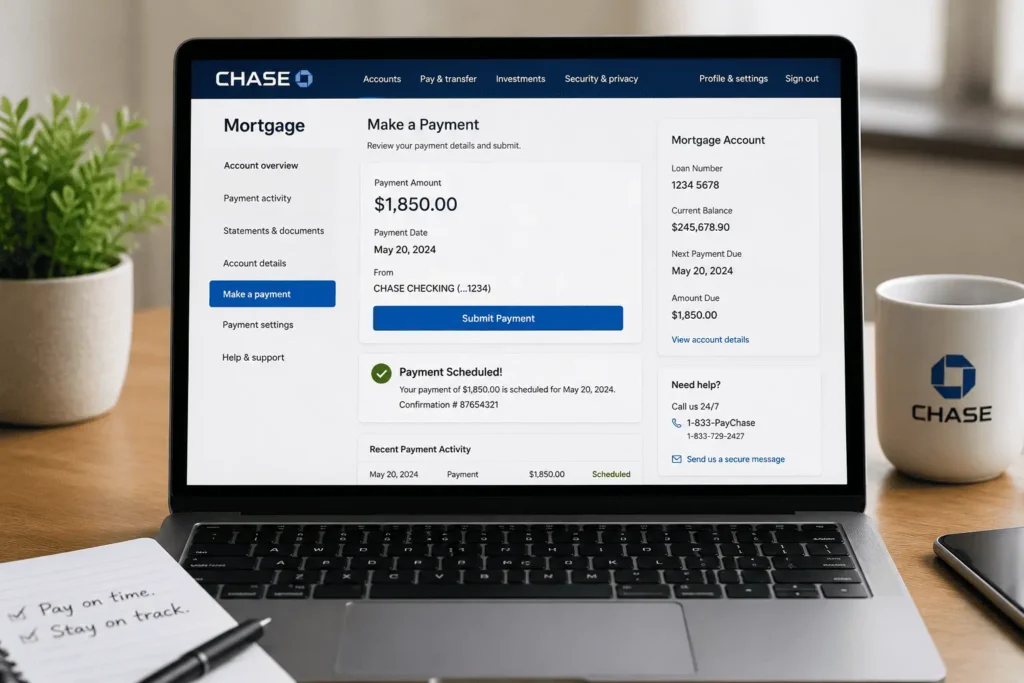
Paying online is the quickest way to handle a Chase mortgage payment each month. It takes a few minutes once you know where to click, and you get an instant confirmation number for your records. Chase lets you pay from a Chase checking account or a bank account from another company. Both options work, but the steps look a little different.
Before you pay, sign in through Chase Mortgage Login to reach your account dashboard. From there you can see your balance, your due date, and any fees owed. Once you are logged in, the payment screen walks you through the rest.
The Chase Mobile app mirrors the website, so you can pay from your phone in a pinch. Many homeowners actually prefer the app since it saves your payment details for next time. Either version works fine, so pick whichever one you already have open.
Paying from a Chase Bank Account
- Sign in to chase.com or open the Chase Mobile app.
- Tap “Pay and transfer,” then choose “Pay bills.”
- Select your mortgage account from the list.
- Enter the payment amount and the date you want it sent.
- Confirm the payment and save your confirmation number.
Payments made from a Chase account before the daily cutoff usually post the same day. That cutoff is 7:30 p.m. Eastern time, so plan around it if your due date is close.
Paying from an External (Non-Chase) Bank Account
- Sign in to your Chase account and go to “Pay and transfer.”
- Choose “Pay bills,” then “Pay from accounts.”
- Select “External accounts” and add your bank’s routing and account number.
- Wait for Chase to verify the account, which can take a few days.
- Once verified, schedule your payment like normal.
Set this up a week or two before your due date. Verification takes time, and you do not want to miss a deadline because your outside account was still pending approval. Some borrowers keep both a Chase account and an outside account linked, just as a backup in case one method has an issue.
How to Pay Your Chase Mortgage by Phone
Phone payments post the same day when you pay from a checking account. Call 1-833-PayChase (1-833-729-2427) and follow the prompts. Have your loan number, your bank routing number, and your account number ready before you dial. Write down the confirmation number once the call ends, just in case you need proof later.
This method works well if you are away from a computer or your online account is locked. It is also a solid backup plan on the day a payment is due. Keep in mind this line uses an automated system, so speak slowly and clearly when entering numbers to avoid a failed attempt.
How to Pay Your Chase Mortgage by Mail
Mailing a check is still an option, though it takes the longest to arrive. Send your payment at least five to seven business days before the due date. Write your loan number on the check so it gets applied to the right account. Include the payment coupon from your statement, and note if any extra amount should go toward your principal.
If you lost your statement, call Chase customer service and ask for your correct mailing address. Addresses can vary by loan type and region, so do not guess.
Consider mailing your check with tracking if your due date is close. A tracked envelope gives you proof of when it was sent, which can help if a payment ever shows up late due to a postal delay rather than your own timing.
How to Pay Your Chase Mortgage In Person at a Branch
Some homeowners prefer paying face to face, and that is fine too. Use the branch locator on chase.com to find a location near you. Bring a check or money order along with your payment coupon. A teller can confirm your payment was received the same day, which gives real peace of mind.
This option takes more time than online or phone payments. It is worth it if you want a printed receipt in hand right away. Branch hours vary by location, so check online before you head out, especially on weekends or holidays.
Setting Up Automatic Payments (AutoPay) for Your Chase Mortgage
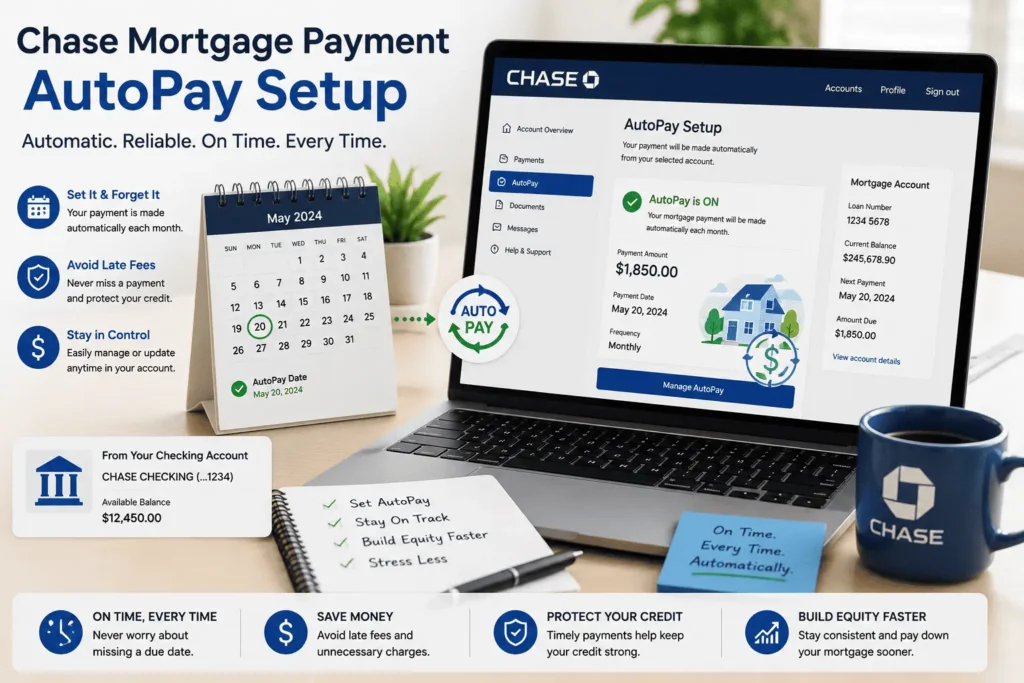
Automatic payments take the guesswork out of your monthly mortgage schedule. Once you set it up, Chase pulls the amount from your linked account on the date you choose. You also get the benefit of Chase updating the withdrawal automatically if your escrow or interest rate changes.
Monthly vs. Twice-a-Month vs. Every-Two-Weeks Options
Chase gives you three ways to schedule autopay, and each one fits a different budget style.
| Payment Option | How Often You Pay | Extra Payments Per Year |
| Monthly | Once a month | None |
| Twice a Month | Two half payments | None (matches monthly total) |
| Every Two Weeks | 26 half payments | 2 extra half payments |
The every-two-weeks plan is popular because it quietly builds in two extra payments a year. Those extra payments go straight toward your loan, which can shave months off your payoff timeline. Just remember your first month on this plan needs both your regular payment and two half payments.
You can cancel or change autopay anytime through your online account. Just make sure a replacement payment method is ready before you turn it off, so a due date does not slip through unnoticed.
How to Make an Extra or Principal-Only Payment
Extra payments can shrink your loan balance faster, but only if Chase applies them the right way. Tell the representative or select the online option that says the payment should go toward principal. If you skip this step, the extra money might sit as unapplied funds until your next full payment is due.
You can make extra payments online, by phone, or by mail. Just mark your intent clearly on the coupon or in the online payment notes. Extra payments make the most sense when your interest rate is on the higher side. If you are unsure how your rate compares, our page on Chase Mortgage Rates breaks down what is available right now.
Even a small extra amount adds up. Sending an extra fifty dollars toward principal each month can trim years off a thirty year loan, since less balance means less interest charged going forward.
Chase Mortgage Payment Grace Period and Due Dates Explained
Most Chase mortgage due dates fall on the first of the month. You then get a grace period, usually around 15 days, before a late fee kicks in. Paying anytime inside that window keeps your account in good standing and off your credit report as late.
Chase applies your payment as of the actual due date, not the day you send it, as long as you pay inside the grace period. That means your interest is calculated the same way whether you pay on day one or day fourteen. Just do not wait until the very last day, since bank processing can add an unexpected delay.
If your due date lands on a weekend or holiday, the grace period still counts from the original date, not the next business day. Mark your calendar a few days early to stay safe.
Late Fees on Chase Mortgage Payments (How They’re Calculated)
Miss the grace period, and a late fee gets added to your account. The exact amount depends on your loan agreement, but it is often a percentage of your monthly payment. This fee shows up on your next statement, so check it closely if a payment ever ran late.
Late fees do not affect your interest rate directly. They also will not show up on your credit report unless the payment is more than 30 days past due. Still, letting fees pile up month after month adds real cost over time, so it pays to catch a late payment fast.
For example, a two thousand dollar monthly payment with a four percent late fee adds eighty dollars every time you miss the grace period. That adds up quickly if it becomes a habit rather than a one time slip.
What Happens If You Miss a Chase Mortgage Payment
A missed Chase mortgage payment sets off a chain of small events, not an instant crisis. First, you will likely get a call, email, or letter reminding you the payment is late. After 30 days past due, Chase may report the missed payment to the credit bureaus. That single mark can lower your credit score more than people expect.
If the payment stretches past 45 days, your statement will include a formal delinquency notice. This notice explains how to reach Chase and what options exist to bring your loan current. Waiting it out rarely helps. Reaching out to Chase early, even before you officially miss a payment, gives you more choices and more time to fix things.
Foreclosure proceedings typically do not begin until a loan is around 120 days past due, or four missed payments. That sounds like a long runway, but it is better used to fix the issue early than to test how far it stretches.
If your situation feels complicated, it sometimes helps to talk it through with someone outside your loan servicer first. Questions about missed payments or hardship options can be sent to james@allthings-mortgage.com for guidance from our team.
Chase Mortgage Payment Assistance and Hardship Options
Chase offers help for homeowners going through a rough patch, whether that is a job loss, medical bill, or a natural disaster. Options include forbearance, which pauses or lowers your payment for a set time, and loan modification, which changes your loan terms permanently. Every case is reviewed individually, so the outcome depends on your specific finances.
Call Chase as soon as you know a payment might slip. Waiting until you are three months behind narrows your options and adds stress you do not need. Chase representatives can walk you through which program actually fits your situation, whether that is a short repayment plan or a longer-term modification.
Have your income details, recent bank statements, and a short explanation of your hardship ready before you call. Having this on hand speeds up the review and gets you an answer faster.
Understanding Your Chase Mortgage Statement (Escrow, Principal, Interest)
Your monthly statement is more than just a bill. It breaks your payment into three parts: principal, interest, and escrow. Principal pays down your actual loan balance, interest covers the cost of borrowing, and escrow covers property taxes and homeowners insurance.
Early in your loan, most of your payment goes toward interest rather than principal. That balance shifts over time, so more of each payment chips away at your loan balance as the years pass. If you want to see exactly how that split changes, the Chase Mortgage Calculator can show you the full breakdown for your specific loan amount and rate.
Your escrow balance can also shift your total payment up or down each year. If property taxes or insurance premiums rise, Chase adjusts your monthly escrow portion to keep the account funded. This is normal, and it usually shows up as a small notice before the change takes effect.
Watch for an escrow shortage notice on your statement. It simply means your account paid out more for taxes or insurance than it collected, and Chase will spread the difference across your future payments.
Some homeowners choose to pay off a shortage in one lump sum instead of spreading it across the year. This keeps your monthly payment steady rather than raising it for the next twelve months. Either option is fine, so pick whichever fits your budget better right now.
How to Get a Payoff Quote and Pay Off Your Chase Mortgage Early
If you are selling your home or just want your loan gone, start by requesting a payoff quote. Sign in to your account and look for the payoff request option, or call Chase directly. The quote includes your exact balance plus any interest through your planned payoff date.
Payoff amounts change daily because interest adds up until the loan closes. Once you have the number, pay through wire transfer, cashier’s check, or however your closing agent instructs. Keep making your regular payment until the payoff actually processes, since a gap in timing can lead to an accidental late payment.
After the payoff clears, Chase mails a release of lien and closes out your escrow account. Any leftover escrow balance is refunded to you by check, usually within a few weeks.
Chase Mortgage Customer Service Number and Contact Options
For general mortgage questions, call 1-800-848-9136. For payments specifically, use 1-833-PayChase (1-833-729-2427). Both lines connect you to representatives who can pull up your account and answer questions about your balance, due date, or recent payment.
You can also reach Chase through secure messaging inside your online account or the mobile app. This option works well for non-urgent questions, since a representative typically responds within a business day or two. For account-specific concerns you would rather put in writing first, james@allthings-mortgage.com is another way to get pointed in the right direction.
Calling early in the morning or right after lunch on a weekday usually means shorter hold times. Mondays tend to be the busiest day for phone lines across most mortgage servicers.
Keep your loan number close by whenever you reach out, no matter which contact method you choose. Representatives use it to pull up your account right away, which saves you from repeating your details more than once.
Still weighing whether Chase is the right servicer for your home loan long term? Our full breakdown on Is Chase Mortgage a Smart Choice for Your Home Loan covers rates, service quality, and borrower reviews in one place.
Conclusion
Handling a Chase mortgage payment does not have to feel confusing once you know each option in front of you. You now have every method covered, from paying online and autopay to knowing what happens if a payment falls behind. Use the steps above to keep your account current, avoid late fees, and stay ahead of your due date every month. With this guide, you have everything needed to manage your payments with real confidence.
Frequently Asked Questions
How do I make a same-day payment to Chase?
Pay online or by phone before the daily cutoff, which is 7:30 p.m. ET for Chase accounts and 8:30 p.m. ET for outside accounts. Payments made after these times post the next business day instead.
Can I pay my Chase mortgage with a credit card?
No, Chase does not accept credit card payments for mortgages. You can pay from a checking or savings account, by mail with a check, or in person at a branch with a check or money order.
Does Chase charge a fee for online mortgage payments?
No, making a mortgage payment online, by phone, by mail, or in person is free. You may only be charged if your payment bounces due to insufficient funds, which can cost up to twenty five dollars.
Can I change my mortgage due date with Chase?
Chase does not typically allow you to move your original due date, but you can choose your payment date within the grace period through autopay. Contact Chase directly if you need a special arrangement.
What happens if my payment goes to unapplied funds?
This happens when a payment is too small to cover the full amount due. Chase holds it as unapplied funds until enough money arrives to cover the complete payment, then applies it all at once.