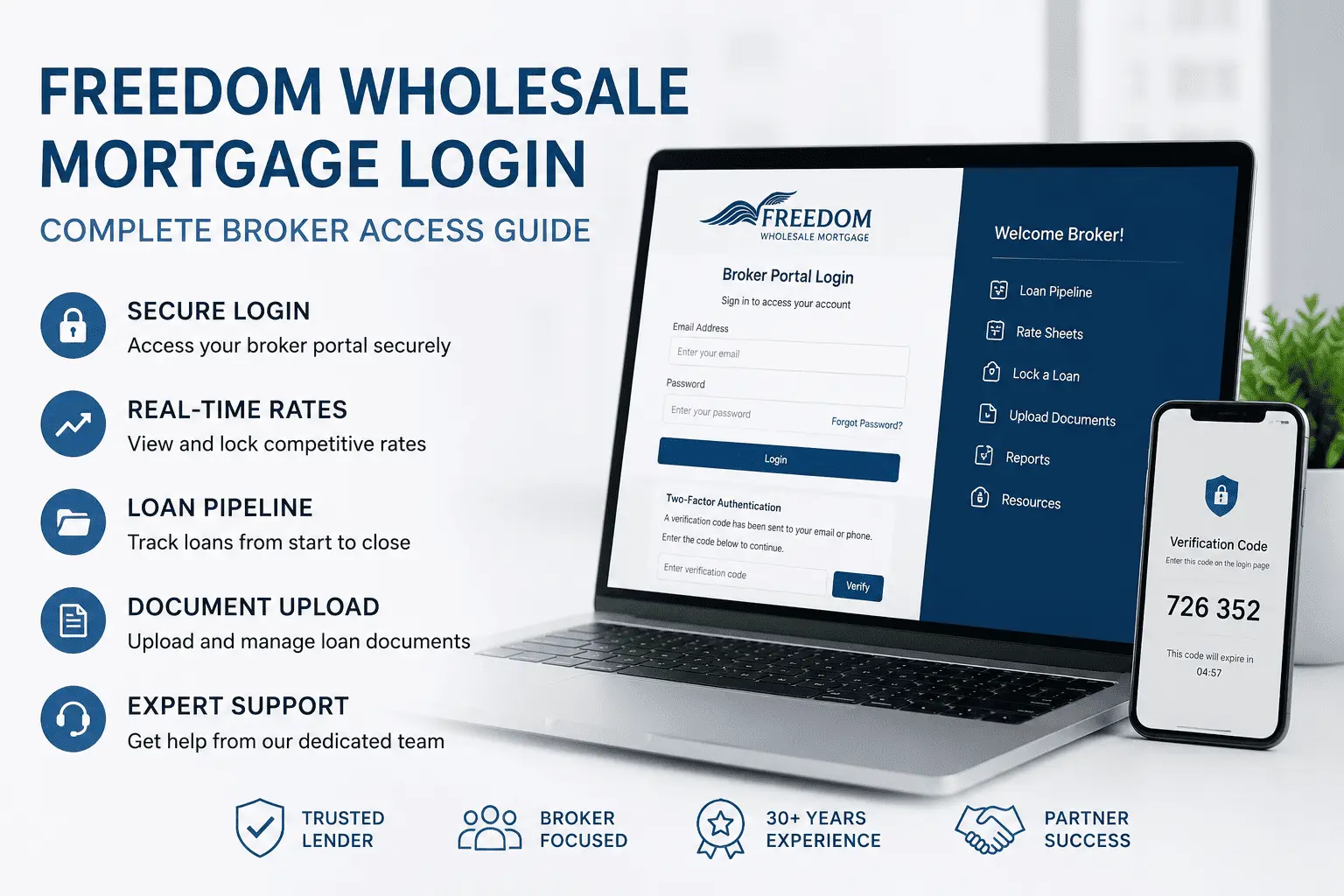
Logging into a wholesale mortgage portal sounds simple — until the verification code doesn’t arrive, the pipeline won’t load, or you’re locked out right before a rate lock deadline. A login issue can cost you a deal. This guide walks you through the Freedom Wholesale Mortgage Login from start to finish, covering access steps, portal features, and every fix brokers actually need.
Whether you’re a new broker setting up portal access or a seasoned correspondent troubleshooting a locked account, this guide has you covered. You’ll find login instructions, portal features, registration steps, training resources, and direct support contacts — all in one place.
What Is the Freedom Wholesale Mortgage Broker Portal
The Freedom Wholesale Mortgage broker portal is a secure online platform built for licensed mortgage brokers, non-delegated correspondents, community banks, and credit unions. It gives approved partners direct access to rates, loan pipeline tools, reports, and underwriting support. The portal is the central hub through which brokers manage every stage of a loan — from submission to closing.
Freedom Mortgage Wholesale has supported independent brokers for over 30 years. As one of the top five wholesale lenders in the nation, the platform reduces processing time and gives partners the tools to close more loans. Access is exclusively for approved broker partners, not retail borrowers. Homeowners looking for account access can use the Freedom Mortgage Login portal instead.
How to Access the Freedom Wholesale Mortgage Login Page
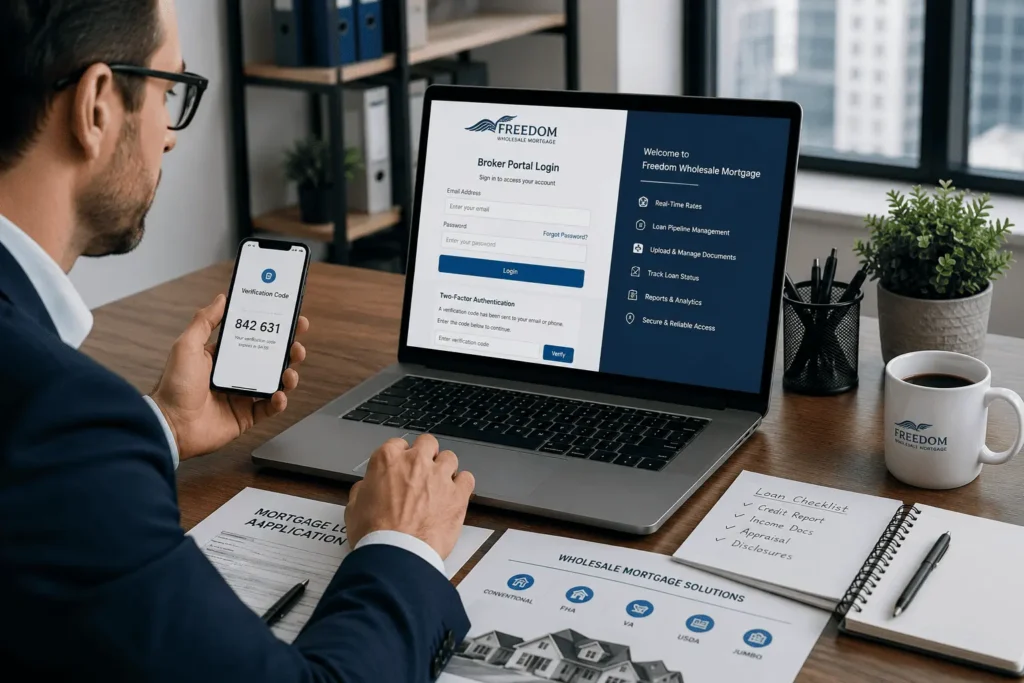
The active broker portal is at clientcf.freedomwholesale.com. A legacy version exists at www2.freedomwholesale.com for older registered users. Always use the official URL, bookmark it, and never share your credentials outside your licensed operation.
Step-by-Step Login Instructions for Registered Brokers
Logging in is straightforward once you know the exact steps. Follow this order every time:
- Go to clientcf.freedomwholesale.com
- Enter your registered email address
- Enter your account password
- Complete the two-factor authentication step
- Access your dashboard and pipeline
Make sure your device clock is set to the correct local time. An incorrect device time is a known cause of login failures and is easy to overlook.
Two-Factor Authentication — How the Verification Code Works
The portal requires two-factor authentication (2FA) for every login session. After entering your email and password, a verification code is sent to your registered email address or phone number. You must enter this code to complete the login.
This security layer protects borrower data and loan files in your pipeline. Enter the code as soon as it arrives — closing the browser tab resets the session.
What to Do If the Verification Code Does Not Arrive
If the code does not arrive within five minutes, check your spam or junk folder first. Many email filters flag automated security codes from financial platforms. If it is not there, request a new code from the login screen.
If the problem continues, contact the service desk with your registered email and a brief description. Do not attempt repeated logins, as this can trigger an account lockout.
What You Can Do Inside the Portal After Logging In
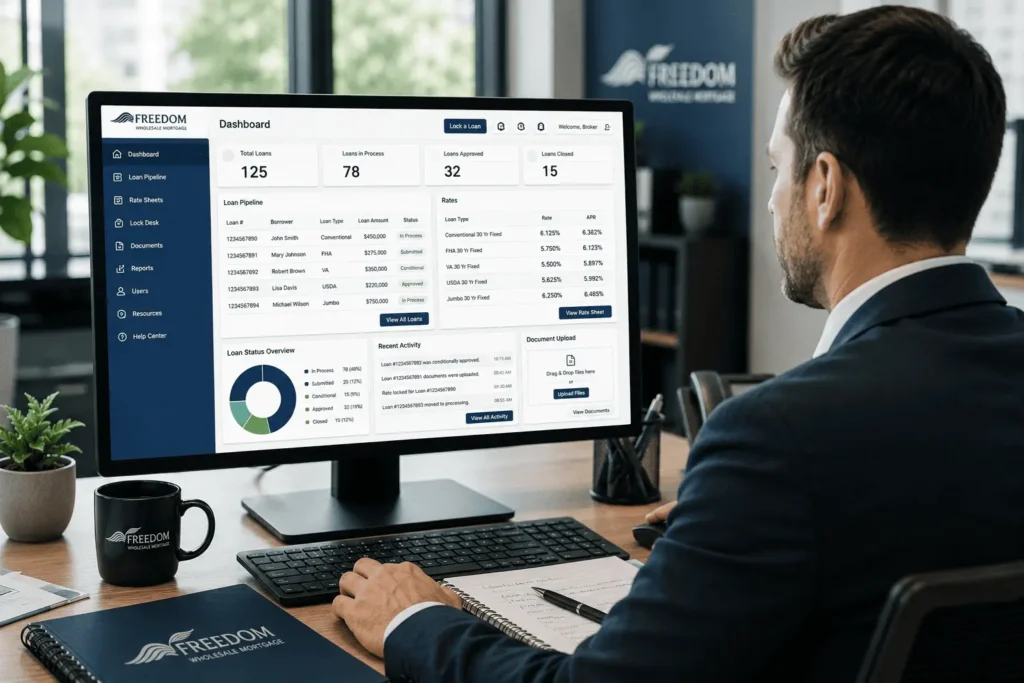
Once inside the freedom wholesale mortgage login portal, brokers get a complete set of tools to manage loans in real time — far beyond a simple document upload system. Here are the key features available to every registered broker.
Viewing and Locking Real-Time Mortgage Rates
The portal displays current wholesale mortgage rates updated throughout the business day. Brokers can view pricing across conventional, FHA, VA, USDA, and jumbo products in real time. When the right rate is found for a borrower, it can be locked directly from the pipeline dashboard.
If rates are not displaying, pricing may not yet be released for that window. Always verify the lock expiration date before submitting.
Managing Your Loan Pipeline and Uploading Files
The pipeline tool lets brokers register loans, upload documents, edit files, and track each loan through underwriting. Every registered loan receives a unique ten-digit Freedom loan number used for all future actions on that file.
To upload changes to an existing loan, use the File Upload option next to that loan in your pipeline. Do not re-register a loan that already has a loan number — this creates duplicate entries and delays processing. If a loan is in staging without a number, register it first, then upload.
Generating Reports and Tracking Loan Status
Brokers can generate real-time pipeline reports directly from the portal showing loan status, underwriting conditions, and processing milestones. Status changes appear instantly as files move through underwriting, conditional approval, and final approval — no need to call support for routine updates.
Scheduling Closings and Viewing Approval Conditions
Once a loan reaches conditional or final approval, brokers can schedule closing from the pipeline action menu. The portal displays all underwriting conditions under the approved file. The Schedule Closing option only appears after an approved status — if it is not visible, the loan has not yet cleared required milestones. Reviewing conditions early helps avoid last-minute delays.
How to Update Your Profile and Security Settings
Brokers can update their portal profile at any time using the Edit My Profile link. Editable fields include your name, contact information, password, and security questions. Keeping this information current is critical — accurate profile data is required before the Forgot Password recovery tool will work.
Update your security questions as soon as you register — the password recovery process will fail without matching answers on file.
How New Brokers Can Register and Get Portal Access
Brokers not yet registered must complete a one-time approval process before receiving freedom wholesale mortgage login credentials and full platform access.
Eligibility Requirements to Become an Approved Broker
Freedom Mortgage Wholesale works with licensed mortgage brokers, non-delegated correspondents, community banks, and credit unions across all 50 states, Puerto Rico, and the U.S. Virgin Islands. To become an approved TPO partner, you must hold a valid state mortgage broker license and meet Freedom’s approval criteria.
The company does not work with retail originators or unlicensed individuals. All applications are reviewed by the regional sales team for your state.
How to Submit Your Application and Receive Login Credentials
To begin, visit freedomwholesale.com and select the Become a Client option. Complete the broker application package and submit it to the Freedom branch serving your location. Use the Your Contacts section on the portal to identify the correct Account Executive for your state.
Once approved, you receive a confirmation email with your unique credentials. Your Account Executive remains your primary contact for onboarding, rates, and pipeline support.
Broker Training and Resources Available After Login
Freedom Mortgage Wholesale offers 60-minute structured training sessions for all registered broker partners covering portal navigation, loan submission, and product guidelines. Brokers can join live sessions or access recorded versions through the Resources and Help section at any time.
To join a live session, click Join Now next to Freedom Wholesale Broker Training in the portal, then enter your name and email. The Resources and Help section gives every registered broker access to the following tools:
- Industry reference links including Fannie Mae, Freddie Mac, HUD, and VA guidelines
- Recorded training sessions available on demand at any time
- FAQs glossary covering common mortgage and portal terms
- State-specific Account Manager and Client Relations contact details
- Appraisal Management Company (AMC) list approved by Freedom Mortgage
These resources are available immediately after login and are updated regularly to reflect guideline changes.
Common Login Problems and How to Fix Them
Login issues are among the most common challenges brokers face. The fixes are usually simple once you know where to look.
How to Reset a Forgotten Password
Go to the login page and click the Forgot Password link. The portal verifies your identity using the security questions saved in your profile. If the reset link does not arrive within five minutes, reset emails are sometimes filtered by corporate spam systems. If you’re trying to access your borrower account rather than the wholesale broker portal, our Freedom Mortgage Payment Login guide covers payment account access, password recovery, and sign-in troubleshooting.
How to Recover a Forgotten Email Address
If you have forgotten the email tied to your account, self-service recovery is not available. Contact the Freedom Wholesale service desk with your name, company name, and NMLS number. Do not create a new account — duplicates create compliance issues and delay pipeline access.
What Happens When Your Account Gets Locked
Too many failed login attempts trigger an automatic account lockout. The lockout typically clears after ten minutes — if it does not, call 1.800.871.6467 for manual unlock. Avoid guessing your password repeatedly during a session. Go straight to the Forgot Password option rather than risking a lockout before a critical rate lock deadline.
Browser, Cache, and Cookie Fixes for Login Errors
Outdated cache and stored cookies cause portal login failures, especially after a platform update. Clear your browser cache and cookies for the Freedom Wholesale site, then try again. Using a private or incognito browser window is a fast way to test without clearing all your saved data.
Disable browser extensions and ad blockers temporarily if the problem continues — some block the portal’s authentication flow. If one browser fails, try another before calling support.
Contact Information for Technical Support
For technical login issues, call 1.800.871.6467. For password resets and verification code problems, email ServiceDeskWsale@FreedomMortgage.com. For sales and partnership questions, contact the team at Wholesale@FreedomWholesale.com or call 855-915-4800. Save these contacts before a problem occurs — same-day closings and rate lock windows leave no room for delays.
Loan Products Brokers Can Access Through the Portal
Once logged in, brokers have access to Freedom Mortgage Wholesale’s full product menu. Each loan type comes with specific eligibility requirements and competitive pricing visible directly inside the portal after login.
| Loan Type | Key Benefit | Min. Credit Score | Down Payment |
|---|---|---|---|
| Conventional | Wide borrower range, flexible terms | 620+ | As low as 3% |
| FHA | First-time buyers, lower credit accepted | 580 | 3.5% |
| VA | Veterans and active military, top LTV | 570 | 0% (up to 100% LTV) |
| USDA | Rural and suburban properties | Varies | 0% |
| Jumbo | Loan amounts above conforming limits | 680+ | Varies by program |
| VA IRRRL | Streamline refinance for existing VA loans | No minimum | No appraisal required |
Freedom Mortgage is the number one FHA lender in the nation and a top VA lender, giving broker partners a strong competitive edge with first-time buyers and veterans. Current pricing and eligibility guidelines for each product type are displayed inside the portal after login.
Conclusion
The Freedom Wholesale Mortgage Login portal is more than a sign-in page — it is the full operating system for your wholesale mortgage business. This guide covered the login process, two-factor authentication, portal features, broker registration, training resources, and troubleshooting. Keep your profile updated, save the support contacts, and use the training tools after login. Everything you need to close more loans and serve your borrowers is inside the portal.
Frequently Asked Questions
Q 1: How do I access the Freedom Wholesale Mortgage Login portal?
To access the Freedom Wholesale Mortgage Login portal, visit the official broker website, enter your registered email and password, complete two-factor authentication, and sign in. Only approved brokers, correspondents, banks, and credit unions can access the platform.
Q 2: Why am I not receiving my Freedom Wholesale Mortgage Login verification code?
If your Freedom Wholesale Mortgage Login verification code does not arrive, check your spam folder, request a new code, and verify your registered email address. If the issue continues, contact the Freedom Wholesale service desk for assistance.
Q 3: How can I reset my Freedom Wholesale Mortgage Login password?
To reset your Freedom Wholesale Mortgage Login password, click the Forgot Password option on the sign-in page and answer your security questions. If you cannot complete the reset process, contact technical support for account recovery assistance.
Q 4: What can brokers do after logging into the Freedom Wholesale Mortgage portal?
After completing this Login process, brokers can view mortgage rates, lock pricing, manage loan pipelines, upload documents, track underwriting status, generate reports, and schedule closings directly from the dashboard.
Q 5: Who can register for Freedom Wholesale Mortgage Login access?
Freedom Wholesale Mortgage Login access is available to licensed mortgage brokers, non-delegated correspondents, community banks, and credit unions that meet approval requirements. Retail borrowers and unlicensed individuals cannot register for broker portal access.